WHMCS
5 files
-
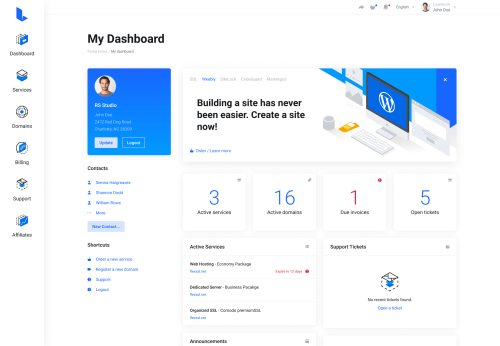
Lagom WHMCS Client Theme is a modern, clean, and user-friendly design template created specifically for WHMCS, a popular client management and billing platform for web hosting companies. The theme aims to enhance the user experience by providing a sleek and professional interface for clients to manage their accounts, view invoices, submit support tickets, and access other services seamlessly.
Lagom WHMCS Client Theme is a premium theme for WHMCS, the client management, billing, and automation platform widely used by web hosting companies. The theme replaces WHMCS's default client-area interface with a more modern, responsive, and customizable design.
Lagom WHMCS Theme features
According to its documentation and marketplace listing, Lagom includes:
Multiple layouts and page templates
Responsive design for desktop, tablet, and mobile
Style and color customization
Menu management tools
Homepage and landing-page customization
Dark mode support
SEO management options
Integration support for various WHMCS modules
Custom fonts and navigation styles
Client dashboards
Hosting and domain management pages
Order forms and checkout flows
Support ticket areas
Billing and invoice pages
Customizable layouts and color schemes
Intuitive navigation menus
Improved user interface elements
Faster load times and optimized performance
- 0 Downloads
-
Antler – SaaS Infrastructure & WHMCS Template is a comprehensive website template designed specifically for SaaS (Software as a Service) companies and hosting providers. It typically combines features for showcasing SaaS products, managing infrastructure services, and integrating with WHMCS (Web Host Manager Complete Solution), a popular billing and automation platform for web hosting businesses.
Antler is a premium, fully responsive template crafted with the latest HTML5 and CSS3 technologies, built on the Bootstrap framework. It offers over 50 professionally designed hosting demos and more than 35 custom short-code elements, featuring advanced filters for dedicated servers and domains. With these tools, you can easily switch prices dynamically and tailor server configurations to fit your specific requirements.
The Antler template includes the latest version of WHMCS and an integrated order form, making it ideal for web hosting providers, online businesses, domain sales, multi-purpose websites, personal blogs, and similar online platforms. Its fully responsive design ensures compatibility across all devices—large, medium, or small. Customize your template effortlessly and launch your project with confidence.
Antler WHMCS Template Features
Responsive & Mobile-First Design
Fully responsive layout that adapts seamlessly to desktops, tablets, and smartphones
Mobile-friendly interface for optimal user experience across all devices
Built with Modern Technologies
Developed using the latest HTML5, CSS3, and Bootstrap framework
Clean, semantic code for easy customization and SEO optimization
Over 50+ Demo Variations
Pre-designed, ready-to-use demos tailored for different hosting and SaaS niches
Effortless one-click demo import to quickly set up your website
Custom Shortcodes & UI Elements
35+ custom shortcodes for buttons, pricing tables, tabs, accordions, sliders, and more
Special filters for dedicated servers and domain management, enabling dynamic price switching
Customizable UI components to create a unique website layout
WHMCS Integration
Fully integrated with the latest version of WHMCS for automated billing and client management
Seamless connection between frontend design and backend billing system
Support for multi-language and multi-currency setups
Order & Payment Forms
Professionally designed order forms compatible with WHMCS
Easy-to-customize forms for domain registration, hosting plans, and SaaS subscriptions
Secure and user-friendly checkout process
Dedicated Server & Domain Management
Advanced filtering options for dedicated servers and domain products
Dynamic price switching based on user selections
Custom server configuration options to meet specific client needs
Multi-Purpose Use
Suitable for web hosting providers, SaaS companies, domain resellers, online businesses, and personal blogs
Flexible layout options that can be tailored for various business models
Performance & Optimization
Lightweight code for fast loading times
Optimized images and assets for better performance
Easy Customization & User-Friendly
Well-organized code structure and detailed documentation
Drag-and-drop page builder compatibility (if applicable)
Customizable headers, footers, colors, fonts, and layouts
SEO & Speed Optimization
Built with SEO best practices in mind
Fast loading speeds to improve user experience and search engine rankings
Cross-Browser Compatibility
Fully compatible with all major browsers including Chrome, Firefox, Safari, Edge, etc.
Regular Updates & Support
Continuous updates to ensure compatibility with the latest WHMCS versions
Dedicated customer support and detailed documentation
Advanced Pricing & Plans
Multiple pricing tables and plan options
Feature comparison tables for easy plan differentiation
Blog & Portfolio Integration
Built-in blog system for news, updates, and content marketing
Portfolio sections to showcase your services or case studies
Social Media & Contact Integration
Social media icons and sharing options
Contact forms and location maps to enhance user interaction
Security & Compatibility
Secure coding practices
Compatibility with popular plugins and extensions
Lifetime License & Money-Back Guarantee
One-time purchase with lifetime updates
Risk-free purchase with support options
- 0 Downloads
-
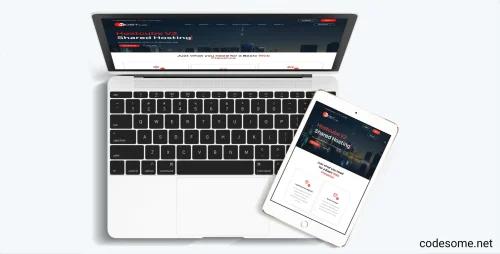
Zhost v3 WHMCS Domain Hosting Responsive Template with WHMCS. Designed with latest Bootstrap. Zhost v3 provides multipage Responsive HTML5 Domain and Hosting Template with WHMCS Theme. Minimalist Flat Design. Highly customizable code. Sections includes Features, Pricing, Domain Search, Contact etc..
Zhost v3 WHMCS Theme Feature
Zhost v3 WHMCS Template contains the following features:
WHMCS 9.0.1 Compatibility
Working Domain Search and Transfer Domain
Nice and attractive design
SEO Friendly Code
Clean Coded Design
User-Friendly interface
Flat Design
Fully Customizable
Google Fonts
Contact Form
FontAwesome Icons
Retina Ready
Responsive Layout
Free Lifetime Updates
Well Documented
Clean and Simple Style
And much More!
- 0 Downloads
-
HostCube v2 WHMCS Child Theme is a specialized theme designed for the WHMCS platform, which is widely used for web hosting management. A "child theme" in this context refers to a customized version of a parent theme that inherits features and styles while allowing for modifications without altering the original code.
Specifically, the HostCube v2 WHMCS Child Theme provides a tailored, visually appealing, and user-friendly interface for hosting providers to showcase their services, manage branding, and enhance user experience. It typically includes custom layouts, styles, and functionalities that align with the HostCube design and branding guidelines.
Features of HostCube v2 WHMCS Child Theme
Features of HostCube v2 WHMCS Child Theme typically include enhancements and customizations designed to improve the appearance and functionality of WHMCS-based websites. While specific features may vary depending on the developer, common features of the HostCube v2 WHMCS Child Theme are:
Modern & Responsive Design : Adaptable layout that works seamlessly across desktops, tablets, and smartphones.
Customizable Layouts : Multiple layout options and flexible sections to tailor the look and feel.
Enhanced User Interface : Improved UI elements for a more engaging user experience.
Optimized Performance : Faster loading times and optimized code for better performance.
Compatibility : Works smoothly with WHMCS latest versions and popular plugins.
Unique Styling : Custom styles for headers, footers, forms, and other elements to match branding.
Easy Customization : Simple options for colors, fonts, and layouts without coding.
Child Theme Structure : Preserves customizations when updating the parent theme, ensuring stability.
Additional Widgets & Sections : Extra sections for banners, testimonials, pricing tables, etc.
SEO Friendly : Optimized for search engines to improve visibility.
- 0 Downloads
-
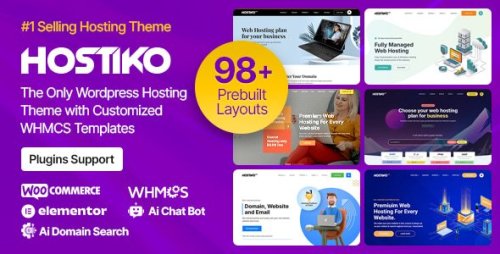
Hostiko Premium Hosting & WHMCS WordPress Theme is crafted solely for webhosting firms, space registrars, and experience corporations. Constructed with Elementor, WPBakery Page Builder (beforehand Seen Composer), and Revolution Slider, it supplies extremely efficient devices to create an professional web internet hosting site with ease.
Developed using the latest web utilized sciences, along with the Bootstrap framework and trendy icon fonts, Hostiko ensures top-notch coding top quality, full browser compatibility, and flawless effectivity all through all items.
Hostiko comes with a wide range of pre-built layouts tailored for VPS hosting, shared hosting, dedicated servers, and domain sales Every demo is designed with precision, offering flexibility for multipurpose enterprise use.
With customizable pricing tables, responsive stackable tables, and dynamic worth sliders, you probably can showcase your web internet hosting plans in mannequin. Hostiko offers all of the items you need to launch and develop a powerful web internet hosting site.
Hostiko WordPress & WHMCS Theme Features
97+ Pre-Constructed Demo Variations – Launch your web internet hosting site instantly with ready demos.
Header & Footer Builder – Design distinctive headers and footers in minutes.
Superior Space Search – Quick and simple space availability check.
AI Space Determine Generator – Uncover good, brandable space ideas powered by AI for faster and additional ingenious outcomes.
AI Chatbot Integration – Put together your info with AI for a seamless and intelligent dwell chat experience.
Customized WHMCS Templates For Every Hostiko Construction – Matching templates for every Hostiko demo.
Elementor, WPBakery and Gutenberg Help – Create layouts merely with drag & drop.
100% Responsive Construction – Adapts seamlessly to all items.
Individual-Nice Interface – Simple, intuitive, and simple to navigate.
Completely Customizable – Simple to edit colors, fonts, and layouts.
Stackable Comparability Tables – Study web internet hosting plans in responsive, easy-to-read tables.
Stackable TLD Tables – Present and consider space pricing for quite a lot of TLDs.
Good & Partaking Layouts – Partaking mannequin to grab buyer consideration.
Retina Ready – Crystal-clear visuals on high-resolution screens.
Modern & Clear Design – Expert construction with user-friendly interface.
Clear Coded Theme – Successfully-structured code for effectivity and suppleness.
Constructed with Bootstrap 4.x – Fast, versatile, and mobile-first framework.
Revolution Slider Included – Showcase content material materials with lovely sliders.
Hostiko WHMCS Widgets – Enhance client house with custom-made widgets.
Constructed-in Order Type – Simple and straightforward web internet hosting purchase course of.
WooCommerce Appropriate – Promote suppliers, and merchandise on-line.
Contact Type Integration – Quick setup for client communication.
Google Fonts – Huge choice of typography decisions.
FontAwesome Icons – Lots of of icons to spice up your design.
web site positioning Optimized Code – Constructed for tempo and higher search rankings.
WPML & RTL Ready – Multilingual and right-to-left assist included.
Successfully Documented – Simple setup with step-by-step info.
Free Lifetime Updates – Widespread enhancements at no further worth.
- 0 Downloads