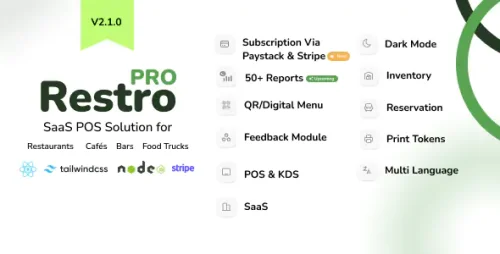
RestroPro SaaS - Restaurant POS Software React Node.js Script is an advanced, feature-rich, and scalable point-of-sale solution specifically designed for the restaurant industry. Built using modern web development technologies, this script combines React.js for a dynamic and user-friendly frontend interface with a powerful Node.js backend that handles server-side operations seamlessly. It offers a comprehensive platform for restaurant owners and managers to efficiently manage their daily operations, improve customer service, and increase overall business productivity. The software provides a wide range of functionalities such as order management, billing, and payment processing, enabling staff to quickly take orders, generate bills, and process various payment methods including cash, card, and digital wallets. Its inventory management system helps track ingredient and supply levels in real-time, reducing waste and ensuring stock availability. Staff management features allow for role-based access control, shift scheduling, and performance monitoring, helping optimize workforce efficiency. Additionally, RestroPro SaaS offers detailed reporting and analytics tools that provide valuable insights into sales trends, popular menu items, peak hours, and overall business performance. These reports assist restaurant owners in making informed decisions to boost profitability and enhance customer experience. Designed as a SaaS (Software as a Service) solution, it is hosted on the cloud, enabling multiple restaurant locations to access the system securely from anywhere with an internet connection. This cloud-based approach facilitates easy updates, maintenance, and scalability, making it ideal for growing restaurant chains. Developers and entrepreneurs can leverage this script to quickly deploy a customized restaurant management system tailored to their unique needs. The React frontend ensures an engaging user experience, while the Node.js backend guarantees fast, reliable, and scalable performance. Whether you're setting up a new restaurant or upgrading an existing system, RestroPro SaaS - Restaurant POS Software Script offers an efficient, modern, and flexible solution to streamline restaurant operations and improve overall efficiency. RestroPro SaaS React Node.js Script Features Intuitive Order Management Easy-to-use interface for taking dine-in, takeout, and delivery orders Customizable menu management with categories, modifiers, and addons Real-time order updates and status tracking Support for multiple tables and seating arrangements Quick reorder and order history for faster service Split bills and combine orders seamlessly Robust Billing & Payment Processing Automated bill generation with itemized details Multiple payment options including cash, credit/debit cards, digital wallets, and online payments Support for discounts, promotions, and loyalty programs Tax calculation and inclusive/exclusive tax settings Printing and digital receipt generation Refunds and void transactions management Inventory & Stock Management Real-time inventory tracking for ingredients and supplies Automatic stock deduction on order placement Low stock alerts and notifications Inventory adjustments and stock audits Supplier management and purchase order tracking Barcode scanning support for quick inventory updates Staff & User Management Role-based access control (admin, manager, staff) Staff shift scheduling and clock-in/clock-out tracking User activity logs for security and auditing Multi-user login support Permissions management for different operational levels Menu Management Dynamic menu creation and editing Customizable modifiers and add-ons per menu item Seasonal and promotional menu options Images and descriptions for menu items Availability control for time-specific items Table & Seating Management Interactive floor plan for table management Reservation management and booking history Table status indicators (occupied, available, reserved) Waitlist management and queue handling Advanced Reporting & Analytics Daily, weekly, monthly sales reports Sales by item, category, or staff member Revenue tracking and profit analysis Customer insights and order trends Inventory usage and wastage reports Custom report generation Customer Loyalty & Promotions Loyalty point system integration Promo codes and discounts Happy hour and special event pricing Customer database management Multi-Location & SaaS Support Cloud-based deployment for multi-restaurant management Centralized dashboard for all locations Location-specific menu and settings Role-based data access across locations User-Friendly Dashboard & Interface Responsive design compatible with tablets and mobile devices Customizable dashboard widgets Real-time notifications and alerts Multi-language support Integration & Extensibility Payment gateway integrations (Stripe, PayPal, others) Kitchen display system (KDS) integration External hardware support (printers, barcode scanners, tablets) API access for third-party integrations Plugin and module support for future extensions Security & Data Protection Data encryption and secure login Backup and restore options Audit logs for all transactions and changes GDPR compliance and user privacy controls Offline mode support with data sync once online Customizable user interface themes Automated backups and system updates Support for multiple currencies and tax systems Comprehensive help and support documentation