





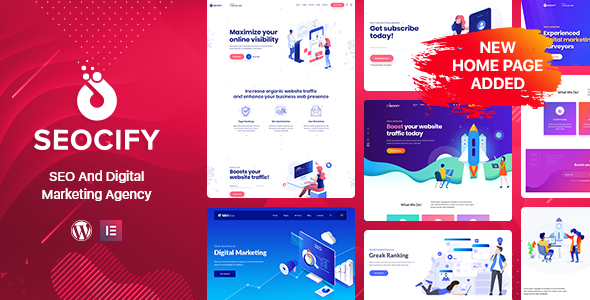
Seocify was specially created for SEO and digital marketing Agency company. It is based on Elementor front end page builder and Revolution Slider
It is beautifully designed in a very smart way to bring the best user experience that you will love. It’s suitable for many kinds of online businesses such as Online Marketing, SEO Agency, Digital Marketing, Social media marketing agency company, Social Media website. Seocify comes with many built-in pages like service pages, portfolio pages, case study pages about us and pricing pages.
Seocify Comes with the latest version of Revolution slider with a powerful Unyson theme option. It also comes with the most powerful Elementor drag drop visual page builder. It is super flexible with tons of great features such as Image section, video section, color section, unlimited google font.
Seocify theme has a fully responsive layout. It fits perfectly on any displays and resolutions like desktop screens to tablets, iPads, iPhones and small mobile devices. Being truly SEO-friendly, Upturn provides you with a codeless layouts creation and allows you to edit your website in a visual mode.
Seocify WordPress Theme Features
Isometric home page design
5+ Powerful Homepage Styles with unique Headers and Content
Multi page and one page layout
20+ Unique design pages
Built with elementor page builder
Kirki Customizer
Unyson framework
RTL Supported
Easy to customize
Clean & Simple Design
Fully Responsive Layout
Cross-browser Compatible with Edge, IE11+, Firefox, Safari, Opera, Chrome
Google fonts included
Font Awesome 400+ icons
200+ line icons
Powered by Bootstrap 4
Smooth animation
Parallax sections
Valid HTML5 and CSS3
Fully Responsive Layout
CSS3 Animations
Mega-Menu
Multilevel drop-down menu
Smooth Page Scrolling
Unique blog
Different pricing tables options
Free Lifetime Updates
Well Documented
Create an account or sign in to leave a review
There are no reviews to display.