





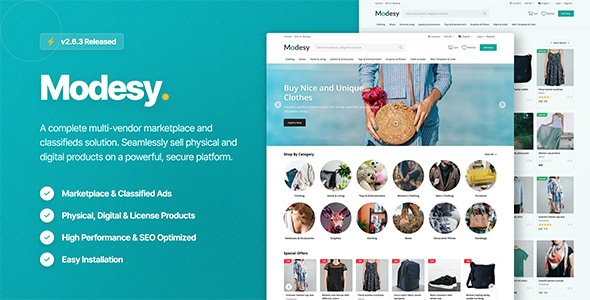
Modesy is a marketplace and classified ads script that you can sell physical and digital products. It allows you to use marketplace and classified ads options at the same time. You can use this script as a multi-vendor store or you can use it as a store where you can sell your own products. It has clean, responsive and user-friendly design. You can manage almost everything in your site with its powerful Admin panel. It is secure, SEO-optimized, fast, fully customizable and easy to use.
Modesy Marketplace Script Features
Marketplace
Bidding System
Classified Ads
Sell Physical Products
Sell Digital Products
Sell License Keys
Advanced Admin Panel
Vendor Dashboard
Totally Secure System
SEO Optimized
SEO-Friendly URL
Clean & Responsive Design
Multilingual & RLT support
Multi-Vendor System
Premium Membership System
Featured Products System
Advanced Shipping System
Custom Fields System
Product Variations
Blog
Chat System
Progressive Web Apps (PWA)
Guest Checkout
Earnings
Payouts
Currency Converter
Email Notifications
Commission for Sales
Responsive & Sortable Slider
Bulk Product & Category Upload
Product Approval System
Pending & Hidden Products
Drafts
Preview Options
Product Location Map
AWS S3 Integration
Cache System
RSS Feeds
Social Sharing
Social Login
Product Filters
Profile Settings
Wishlist
Member Follow System
Review System
Comment System
Abuse Report System
Dynamic Page System
Location Database
Ad Spaces (AdSense)
Newsletter
Sitemap.xml
Maintenance Mode
Visual Settings
Google Font Options
Watermark System
Google reCAPTCHA
Advanced Settings
Easy Installation
Detailed Documentation
What's New in Version 2.6.4
Released
- Fixed product duplication bug
- Fixed shipping cost calculation bug affecting different currencies
- Fixed mobile compatibility issues on the order details page in the admin panel
- Fixed mobile compatibility issues in email templates
Create an account or sign in to leave a review
There are no reviews to display.